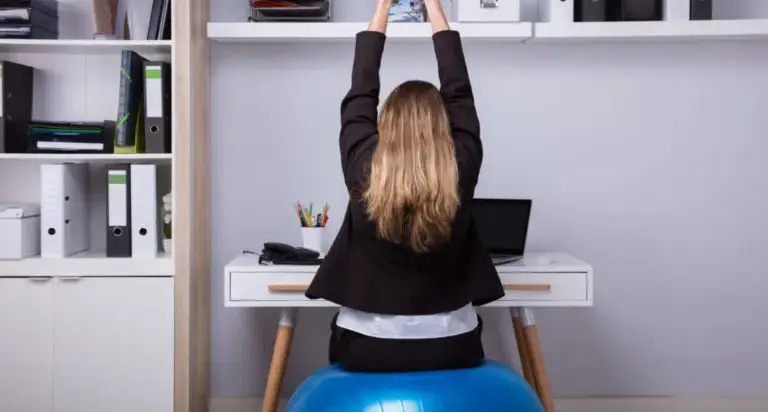





You sit down for your first meeting and feel fine—until your lower back starts to tighten. By mid-afternoon, your neck feels locked up, your shoulders are tense, and you’re shifting in your chair every few minutes trying to get comfortable. Desk work is not “heavy labor,” but the combination of prolonged sitting, screen time, and small posture habits can irritate the neck and low back in a very real way.
If you’re dealing with desk job back pain, the goal is not perfect posture all day. It’s setting up your workstation so your spine is supported, building in small movement breaks that keep joints and muscles from getting overloaded, and knowing when symptoms suggest something more than everyday strain.
Why Desk Work Can Trigger Back and Neck Pain
Your spine is designed for movement and position changes. When you sit for long stretches, the hips stay flexed, the glutes and core tend to disengage, and the small stabilizing muscles of the neck and low back end up doing more “holding” work than they were meant to do for hours at a time. The result is often a mix of muscle fatigue, joint irritation, and stiffness that shows up when you stand, twist, or turn your head.
Common workstation patterns that contribute include:
- Slouching or rounding through the low back, which can increase strain on spinal joints and discs
- Forward head posture from a low screen, which increases load on the neck and upper back
- Unsupported lower back (insufficient lumbar support)
- Reaching forward for the keyboard or mouse, which pulls the shoulders into a stressed position
- Too few position changes throughout the day
Desk time can also aggravate underlying spine conditions. For example, sitting may worsen symptoms related to a herniated disc treatment, nerve irritation associated with pinched nerve treatment, or walking/standing limits seen in some cases of spinal stenosis. The key is the pattern: where symptoms start, where they travel, and what makes them better or worse.
Common Symptoms Linked to Prolonged Sitting
Desk-related discomfort often builds gradually. Many people notice they feel better on weekends or vacations, then symptoms return after a few days back at the computer.
Physical Symptoms
- Low back aching or tightness that builds over the day
- Pain when standing up after sitting (a “stuck” feeling)
- Neck stiffness or reduced range of motion
- Shoulder and upper back tension, often described as knots or burning
- Headaches that seem tied to neck/shoulder tightness or screen time
Symptoms That Deserve Closer Attention
Symptoms that travel can suggest nerve involvement rather than simple muscle fatigue. Examples include:
- Pain, tingling, or numbness into the arm/hand
- Pain, tingling, or numbness into the buttock/leg/foot
- Weakness, clumsiness, or dropping objects
Radiating leg pain is commonly referred to as sciatica. If that’s part of what you’re experiencing, you can read more about evaluation and options for sciatica treatment.
A Practical Desk Setup Checklist (without Overhauling Your Office)
You don’t need a perfect chair or a brand-new standing desk to make meaningful progress. Small changes that support the pelvis, reduce forward head posture, and stop constant reaching often make the biggest difference.
Start with the Chair: Pelvis First, Then Back Support
Your pelvis is the foundation of your sitting posture. If you perch at the front edge of the chair, your low back has to do extra work to keep you upright.
- Seat height: adjust so feet are flat and knees are around hip level
- Sit back: scoot so your hips are supported by the back of the chair
- Lumbar support: use built-in support or add a small cushion/rolled towel at the natural curve of the low back
Monitor Placement to Reduce Neck Strain
When a screen is too low, you tend to look down and lean forward, which can overload the neck over time.
- Top of the screen: roughly at eye level
- Distance: far enough that you’re not leaning in to read
- Glare control: reduce reflections so you don’t hunch or squint
Bring the Keyboard and Mouse Closer
Repeated forward reach pulls the shoulders forward and can fatigue the upper back quickly.
- Elbows: near your sides
- Shoulders: relaxed, not elevated
- Wrists: neutral rather than bent up or down for long stretches
If you’re trying to make sense of multiple symptoms—or you already have a diagnosis and want to understand what it means—our spine conditions page is a helpful starting point.
Movement Breaks That Make a Difference (Even on Busy Days)
Ergonomics help, but they can’t fully cancel out prolonged stillness. For many people, the most effective change is adding brief, consistent movement throughout the day.
A simple goal: every 30 to 60 minutes, stand up for one to two minutes. Walk to refill water, change rooms for a call, or do a quick reset movement. Frequent short breaks often reduce end-of-day stiffness more than one longer break.
Simple Desk-Friendly Resets
- Chin tuck: gently bring the head back (a subtle “double chin”), hold briefly, then relax
- Chest opener: pull shoulders back and down; optionally hold the sides of your chair and open the chest
- Hip flexor stretch: stand, step one foot back, and gently open the front of the hip
- Standing back extension: hands on hips and a gentle lean back if comfortable
If a movement triggers sharp pain, worsening radiating pain, or numbness, stop and consider getting evaluated before pushing through.
When Desk Pain Might Be More Than “Bad Posture”
Many cases improve with workstation changes and targeted strengthening. But certain patterns suggest you may be dealing with nerve irritation or another structural spine problem that needs a clearer diagnosis.
Consider a medical evaluation if you notice:
- Symptoms lasting several weeks despite consistent ergonomic changes and activity modification
- Radiating pain into an arm/hand or down a leg
- Numbness, tingling, or weakness in the arms or legs
- Difficulty with balance or increasing clumsiness
- Repeated flares with sitting, driving, or computer work that are trending worse
Seek urgent medical care for severe or rapidly progressive weakness, new loss of bladder or bowel control, or numbness in the groin/saddle area.
What a Spine-Focused Evaluation Looks Like
A good evaluation connects your daily routine to your symptom pattern. Imaging is sometimes helpful, but it’s most useful when it answers a specific question—such as whether a disc or bone spur is pressing on a nerve—rather than being used as the only explanation for pain.
A spine evaluation may include:
- A detailed discussion of what triggers symptoms (sitting, standing, walking, bending, lifting) and what relieves them
- A neurologic exam checking strength, sensation, and reflexes
- Assessment of mobility, posture habits, and areas of muscle tightness
- Review of prior treatments, such as physical therapy, medications, or injections
If nerve compression is suspected and symptoms are significant, options may include non-surgical care, targeted injections, or procedures designed to relieve pressure on the nerve. Depending on the cause, that may involve spinal decompression or, when a disc is the main driver, spinal discectomy surgery.
Desk Job Back Pain Treatment Options
Treatment is typically stepwise. The aim is to calm irritation, restore comfortable motion, and build support around the spine so work doesn’t keep re-triggering the same flare.
Conservative Care That Often Helps
- Ergonomic adjustments to reduce daily strain
- Physical therapy focused on core endurance, hip mobility, and mechanics for sitting and lifting
- Anti-inflammatory medication when appropriate based on your health history
- Guided activity changes so you can stay active without repeatedly aggravating symptoms
When Procedures May Be Considered
If symptoms persist despite appropriate conservative care—or there is clear nerve compression causing ongoing pain, numbness, or weakness—minimally invasive procedures may be discussed. These approaches are designed to target the problem area while limiting disruption to surrounding tissue.
Learn more about options on our minimally invasive spine surgery page.
Finding the Best Minimally Invasive Spine Surgeon in Los Angeles for Persistent Desk-Related Pain
Desk job pain can quietly take over your routine—avoiding workouts, dreading long drives, needing constant stretching just to get through meetings, or waking up stiff day after day. If you’ve improved your workstation and built in movement breaks but symptoms keep returning, it’s reasonable to get clarity on what’s driving the pain and what treatment path makes sense.
At Yashar Neurosurgery in Los Angeles, Parham Yashar, MD evaluates neck and back pain with a focus on identifying treatable causes, including nerve-related symptoms that can be aggravated by prolonged sitting. When surgery is appropriate, Dr. Yashar offers modern techniques—including minimally invasive approaches—tailored to the diagnosis and your goals. To schedule an evaluation, call (424) 209-2669 or request an appointment at our office at 8436 W. 3rd Street, Suite 800, Los Angeles, CA 90048.